Navigating the Roblox universe can sometimes present unique challenges whether you are a seasoned player or new to the platform. From account security concerns to in-game glitches and understanding Robux purchases, the Roblox Help Center is your ultimate resource. This comprehensive guide is designed for busy US gamers balancing work, family, and their passion for virtual worlds, offering practical, no-nonsense solutions. We dive deep into common queries, providing step-by-step instructions for troubleshooting technical issues, managing your account settings, and ensuring a safe and enjoyable experience for everyone. Discover how to optimize your gameplay, connect with support, and keep your Roblox adventures running smoothly, staying current with the latest platform updates and community best practices. Empower yourself with the knowledge to conquer any Roblox hiccup efficiently and get back to what you love most playing.
How Do I Recover a Lost Roblox Account or Reset a Forgotten Password?
If you have lost access to your Roblox account or forgotten your password, the first step is to use the "Forgot Password or Username?" link on the Roblox login page. You will need to enter the email address or phone number associated with your account. Roblox will then send you instructions to reset your password or recover your username. If you no longer have access to that email or phone, you'll need to contact Roblox Support directly through their 'Contact Us' form, selecting 'Account Hacked or Compromised' as the issue to initiate a manual recovery process, providing as much detail as possible to verify your ownership.
What are the Best Ways to Secure My Roblox Account from Hackers and Scams?
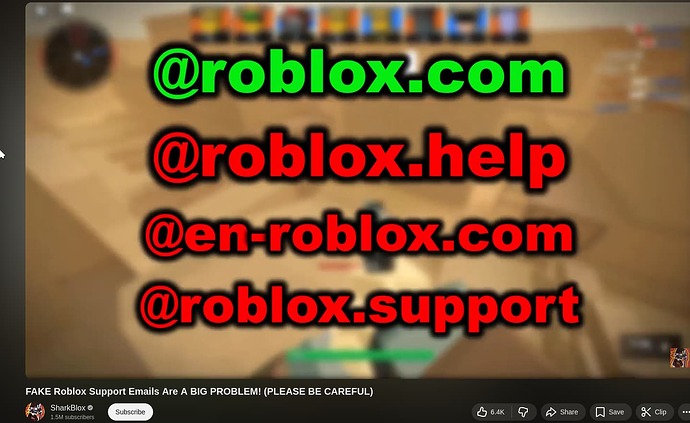
Securing your Roblox account is crucial for a worry-free experience. Always enable 2-Step Verification (2SV) in your account settings, which adds an extra layer of security. Use a strong, unique password not used on other sites. Never share your password or personal information, even if someone claims to be from Roblox support. Be wary of phishing links, free Robux scams, and suspicious messages. Regularly review your account's login history and linked devices, and ensure your recovery email and phone number are up to date and secure.
Why Is My Roblox Game Lagging or Crashing, and How Can I Fix It?
Roblox lagging or crashing often stems from common issues. First, check your internet connection stability and speed. Ensure your device meets Roblox's minimum system requirements. Try clearing your browser's cache or your device's app data. Close other demanding applications running in the background. Update your graphics drivers and operating system. If playing on a PC, try lowering in-game graphics settings. For persistent issues, reinstalling Roblox can sometimes resolve corrupted files. You can find detailed troubleshooting steps in the Roblox Help Center under 'Performance Issues'.
How Can I Get a Refund for an Accidental Robux Purchase or In-Game Item?
Roblox's refund policy varies depending on the platform of purchase (e.g., Apple App Store, Google Play, credit card). For Robux purchased directly, refunds are generally not offered unless there was an unauthorized transaction. For in-game items, developers usually handle refunds, though it's often rare. If you believe you qualify for a refund due to an unauthorized purchase or a technical error, submit a request via the Roblox Help Center's 'Contact Us' form, providing transaction IDs and purchase details. For third-party platform purchases, you might need to contact their respective support teams.
Where Can I Find Reliable Information on Roblox Community Guidelines and Moderation Policies?
The Roblox Help Center is the definitive source for official Community Guidelines, Terms of Use, and moderation policies. Navigate to the 'Safety' or 'Community' sections to find detailed explanations of acceptable behavior, content standards, and rules against harassment, scams, and inappropriate creations. Understanding these guidelines is essential for a positive experience and to avoid moderation actions. Regularly reviewing these documents helps you stay informed about platform expectations and ensures you contribute positively to the Roblox ecosystem.
What Should I Do If I Encounter Inappropriate Content or Behavior on Roblox?
If you encounter inappropriate content or behavior on Roblox, it's crucial to report it immediately. Every game, item, and user profile on Roblox has a 'Report' button. Click this button, select the specific violation category (e.g., inappropriate chat, bullying, scamming), and provide concise details about what happened. These reports go directly to Roblox's moderation team for review. You can also block users to prevent further interaction. The Help Center has detailed guides on reporting and blocking features to help you protect yourself and the community.
How Do I Set Up and Manage Parental Controls on My Child's Roblox Account?
Setting up parental controls on a child's Roblox account ensures a safer experience. You can do this through the account settings, usually under the 'Privacy' or 'Parental Controls' tab. Key features include enabling an Account PIN to prevent unauthorized changes to settings, adjusting chat filtering levels (e.g., 'Account Restrictions' to limit chat to friends or turn it off entirely), setting spending limits for Robux, and restricting access to age-inappropriate experiences. The Roblox Help Center provides step-by-step instructions for configuring these controls, allowing you to tailor the experience to your child's age and maturity level.
Hey fellow gamers! Ever find yourself scratching your head trying to figure out why your favorite Roblox experience is lagging, or why that Robux purchase did not go through as planned? You are definitely not alone. In the fast-paced world of gaming, especially on a platform as dynamic and expansive as Roblox, hitting a snag is almost inevitable. For many of us, gaming is that much-needed escape, a way to unwind after a long day of work or family responsibilities. The last thing you need is a technical glitch or an account issue throwing a wrench in your relaxation time. This is where the Roblox Help Center comes in as your ultimate game-saver, and we are here to walk you through how to use it like a pro.
US gamers, typically averaging around 36 years old with about 60% engaging regularly, are all about balancing that gaming passion with real-life commitments. We value fun, skill-building, social play, and especially performance optimization when we do get to log in. We want solutions that are quick, clear, and effective. That is exactly what we are aiming for in this guide. We will tackle the most common pain points you might encounter, from annoying setup issues to performance problems and understanding platform changes. As of this month, social gaming continues to dominate, with an estimated 87% of gamers regularly playing, often spending 10+ hours a week across various platforms. Roblox, with its vast user-generated content and mobile accessibility, is a significant part of this trend. Let us dive into making your Roblox experience smoother, so you can focus on building, playing, and connecting.
What is the Roblox Help Center and How Do I Access It?
The Roblox Help Center is the official, comprehensive support hub designed to assist players with a wide range of issues, questions, and concerns related to the Roblox platform. Think of it as your first stop for troubleshooting, getting information, and finding solutions before needing direct support. It hosts a massive database of articles covering everything from account management and billing to technical support, parental controls, and community guidelines. To access it, simply navigate to help.roblox.com. You can usually find a link to it at the bottom of the main Roblox website. It is intuitively designed for easy navigation, allowing you to search by keyword or browse through categories.
How Can I Report a Bug or Technical Problem on Roblox?
Experiencing a bug or a technical glitch can be frustrating, especially when it disrupts your gameplay. The Roblox Help Center provides a dedicated pathway for reporting these issues effectively. To report a bug, first visit the Help Center and search for 'Report a Bug' or 'Technical Issues'. You will typically find a 'Contact Us' or 'Support Form' link. Fill out the form with as much detail as possible, including your username, device specifications, the specific game or experience where the bug occurred, and the exact steps to reproduce it. Screenshots or short video clips are incredibly helpful and can be attached to your submission. Providing clear, concise information speeds up the troubleshooting process and helps the Roblox team address the problem faster.
What Should I Do If My Roblox Account Has Been Compromised?
Account security is paramount in the gaming world. If you suspect your Roblox account has been compromised, act immediately. First, try to reset your password via the 'Forgot Password' link on the Roblox login page using the email or phone number associated with your account. If that fails or you cannot access your linked contact information, immediately submit a support request to the Roblox Help Center through the 'Contact Us' form. Select 'Account Hacked or Compromised' as your issue type. Provide any relevant details you have, such as recent activity, login times, or any changes you noticed. Roblox support agents are trained to assist with account recovery and will guide you through the verification process to secure your account. Remember, never share your password or personal information with anyone.
How Do I Manage Parental Controls and Child Safety Features on Roblox?
For parents and guardians, ensuring a safe online environment for younger players is a top priority. Roblox offers robust parental control and child safety features accessible through the account settings. In the Roblox Help Center, search for 'Parental Controls' or 'Account Restrictions' to find detailed guides. Key features include account PINs to prevent unauthorized changes, spending limits for Robux purchases, chat filtering options to control communication, and age restrictions for experiences. You can also view activity logs and set up email notifications for account changes. Regularly reviewing and adjusting these settings ensures a tailored and safe experience for children, aligning with their age and maturity level while allowing them to enjoy the vast creativity Roblox offers.
Where Can I Find Information About Robux Purchases and Billing Issues?
Robux, the in-game currency, is central to unlocking many experiences on Roblox. If you are facing issues with Robux purchases, missing Robux, or billing discrepancies, the Help Center has dedicated sections. Look for 'Billing,' 'Robux Purchases,' or 'Payment Issues.' You will find articles detailing common problems, troubleshooting steps, and how to submit a refund request if applicable. It is crucial to have your transaction IDs, purchase dates, and platform used (e.g., Apple App Store, Google Play, Credit Card) readily available when contacting support. Providing this information upfront ensures a quicker resolution for any Robux or billing-related concerns, helping you avoid unnecessary delays and get your in-game currency sorted.
Can I Appeal a Moderation Action on My Roblox Account?
Receiving a moderation action, such as a warning, temporary ban, or even a permanent ban, can be disheartening. If you believe a moderation action was issued in error or wish to appeal it, the Roblox Help Center provides a clear process. Search for 'Appeals' or 'Moderation Actions.' You will typically be directed to a specific form where you can submit your appeal. In your appeal, clearly state your username, the moderation action received, and explain why you believe it should be overturned, referencing specific community guidelines if possible. Be respectful and provide any evidence that supports your case. While not all appeals are successful, presenting a well-reasoned argument significantly increases your chances of a fair review by the moderation team.
What are the Community Rules and How Do I Report Inappropriate Content?
Maintaining a positive and safe community is a shared responsibility on Roblox. The platform has strict Community Rules, often referred to as Terms of Use or Community Standards, which are clearly outlined in the Help Center. Familiarizing yourself with these rules helps ensure you are contributing positively and avoid accidental violations. If you encounter any inappropriate content, behavior, or experiences, Roblox makes it easy to report. Every experience and user profile has a 'Report' button. Use this feature to flag content that violates the rules, providing details about the specific offense. These reports are crucial for Roblox moderation to maintain a healthy environment, and your vigilance helps protect the entire community from harmful interactions.
How Can I Optimize Roblox Performance on My Device?
Lag, crashes, and slow loading times can severely impact your gaming enjoyment. Optimizing Roblox performance is a common need, and the Help Center offers valuable tips. Search for 'Performance Issues' or 'Lag Fixes.' Common recommendations include checking your internet connection, ensuring your device meets Roblox's minimum system requirements, closing unnecessary background applications, clearing your device's cache, and updating your graphics drivers. For mobile users, ensuring sufficient storage space and a strong Wi-Fi signal are key. Adjusting in-game graphics settings to a lower quality can also dramatically improve frame rates. Implementing these suggestions can often resolve most performance bottlenecks, allowing for a smoother, more enjoyable Roblox experience.
Conclusion
Navigating the vast world of Roblox does not have to be a solo mission when challenges arise. The Roblox Help Center stands as a robust resource, empowering you with the knowledge and tools to resolve issues efficiently. From securing your account and managing parental controls to troubleshooting technical glitches and understanding Robux transactions, the information is there. As gamers who juggle life's demands, we value solutions that get us back to the fun quickly. Utilizing this official support hub smartly means more time playing and less time troubleshooting. So next time you hit a bump in your Roblox adventure, remember that help is just a few clicks away. What's your biggest Roblox challenge you've conquered using the Help Center? Share your tips in the comments below!
Frequently Asked Questions About the Roblox Help Center
How do I contact Roblox Support directly if the Help Center articles do not solve my issue?
If the extensive articles in the Roblox Help Center do not address your specific problem, you can contact Roblox Support directly by using the 'Contact Us' form available within the Help Center itself. This form allows you to submit a detailed ticket to their support team for personalized assistance. Ensure you provide all relevant information, including your username, device, and a thorough description of your issue.
Is the Roblox Help Center available in multiple languages?
Yes, the Roblox Help Center is available in several languages to support its global user base. You can typically find a language selection option, often represented by a globe icon or a dropdown menu, usually at the bottom of the page or in the header. This allows users to access support information in their preferred language.
How can I find out about scheduled maintenance or server status for Roblox?
Information regarding scheduled maintenance or current server status for Roblox is usually not found directly within the main Help Center articles. Instead, Roblox often communicates this through their official social media channels, their status page (status.roblox.com), or occasionally via in-game notifications. Checking these sources is the best way to stay informed about service interruptions.
Are there any video tutorials available in the Roblox Help Center?
While the Roblox Help Center primarily relies on written articles and step-by-step guides, it occasionally links to official Roblox YouTube tutorials or helpful videos within its articles. However, it is not a primary video repository. For more video-based assistance, checking the official Roblox YouTube channel is recommended.
What should I do if my Robux are missing after a purchase?
If your Robux are missing after a purchase, first wait a few minutes as sometimes there is a slight delay. If they still do not appear, check your purchase history on the platform you used (e.g., App Store, Google Play, Credit Card statement) to confirm the transaction. Then, submit a detailed report via the Roblox Help Center's 'Contact Us' form, including your transaction ID, date, and amount. Roblox support will investigate and help resolve the issue.
How often is the Roblox Help Center updated with new information?
The Roblox Help Center is regularly updated by the Roblox team to reflect new features, policy changes, and common user queries. While there is no fixed schedule, new content is added and existing articles are revised frequently to ensure the information remains current and relevant for the evolving platform and its community.
Roblox Help Center, account security, technical issues, Robux purchases, in-game problems, parental controls, troubleshooting guide, contact support, account recovery, payment issues, optimizing Roblox performance, community guidelines, avatar customization help, game moderation, appeal a ban.
35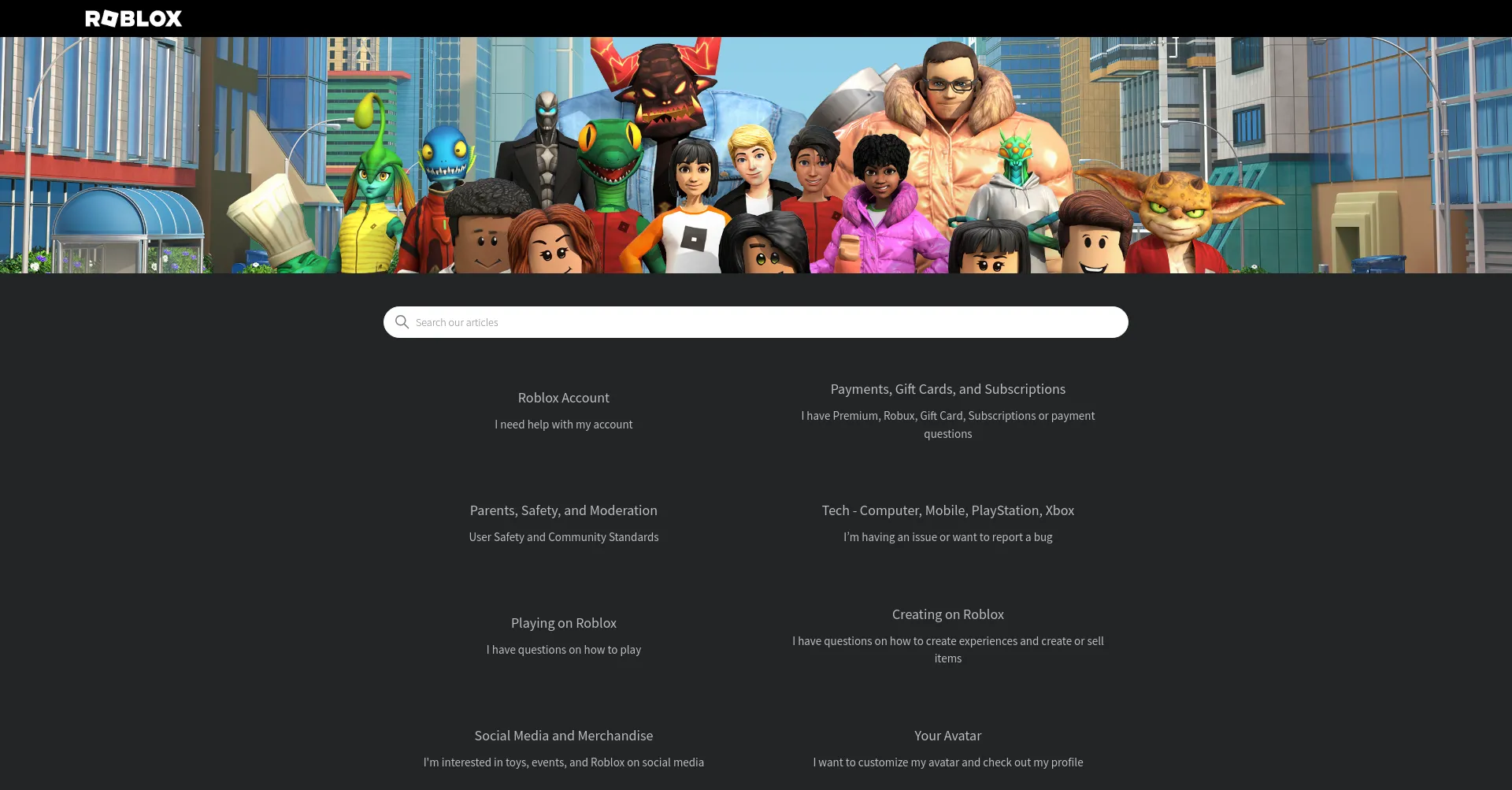



Decoding Roblox Support Your Friendly Guide To En Help Roblox Com En Help Roblox Com . Roblox Support AI Is It The Future Of Player Assistance How To Contact Roblox. How To Update Roblox In 2026 Fix Error Code 280 On PC Mobile Xbox Roblox Update It.webp. Can You Call Roblox Support For Immediate Help Roblox Support Phone Number How To Contact Customer Service 1.webp. What Is RDC In Roblox Roblox Developer Conference 2026 Release Date Roblox At GDC .webp


How To Contact Roblox Support YouTube . Is This A Valid Roblox Support Email Address Platform Usage Support 2 690x423 . How To Get Trusted Connections In Roblox 2026 Full Tutorial Roblox Trusted. DEFINITIVE GUIDE TO Roblox 2026 Official Licensed Product Birthday Xmas Definitive Guide To Roblox 2026 Official Licensed. Safety Snapshot February Roblox


Decoding Roblox Support Your Friendly Guide To En Help Roblox Com How To Contact Roblox Support . Roblox 2026 Logo REVEALED New Color New Look YouTube Maxres2 . A Mother Or Father S Information To Utilizing Roblox In 2026 Ivugangingo 2026 Parental Guide For Roblox Usage UnicMinds . How To Message On Roblox 2026 A Quick Guide SL1500 . Roblox New Years 2026 Poster By SmashLeaker On DeviantArt Roblox New Years 2026 Poster By Smashleaker Dl7cn62 Fullview

Crypto Themed Roblox Games In 2026 Crypto Themed Roblox Games In 2026 538f38ba34 . SafeSport Sanctions Vs Civil Lawsuits Two Parallel Paths To Justice Roblox Roblox Sexual Abuse Lawsuit Roblox. Roblox At GDC 2026 Where To Find Us All Week Roblox. Safety Snapshot February Roblox. Roblox At GDC 2026 Where To Find Us All Week Roblox



LOGO Roblox 2026 YouTube Maxres2 . How To Contact Roblox Support How To Write To Roblox Support Via The. How To Message On Roblox 2026 A Quick Guide . Roblox Anuncia Data Center No Brasil O Que Esperar Em 2026 Roblox Anuncia Data Center No Brasil O Que Esperar Em 2026 . How To Message On Roblox 2026 A Quick Guide




What Is The Roblox Assessment Experience On Reddit Oar2 . Roblox Anuncia Data Center No Brasil Para 2026 Gamerscore Brasil Roblox . Roblox 2026 . How To Message On Roblox 2026 A Quick Guide . Roblox Age Processes TikTok Img




15 Game Roblox Horror Terbaik 2026 15 Game Roblox Horror Terbaik 2026 Paling Seram And Bikin Deg Degan 7f944699ce . How To Publish A Game On Roblox In 2026 Roblox YouTube . Can You Call Roblox Support For Immediate Help Contact Roblox. Contact Roblox Official Support Tickets And Help Center Guide Learn How To Contact Roblox Support And Resolve Issues.webp. Roblox Announces Major Ad Platform Overhaul With Revenue Share And Age Roblox Ad Platform Revamp Revenue Share Age 20260323 123300